
When it comes to running a neighbourhood setup, you want your pools, clubhouses, and courts…
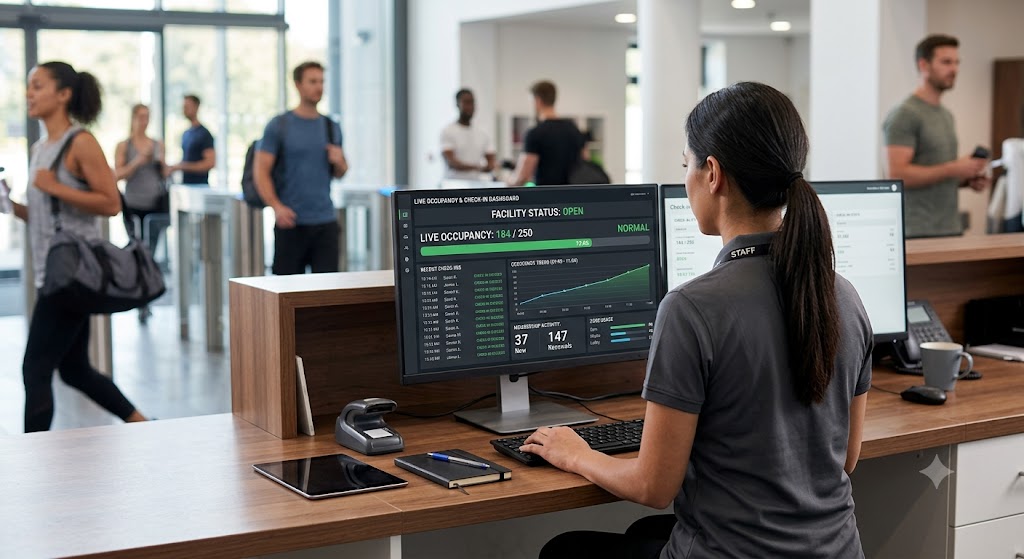
Best Practices for Tracking Daily Facility Capacity Using Digital Check-Ins
Knowing how many people are inside your facility at any given time helps improve safety, staffing, and the overall member experience. Digital check-ins provide accurate, real-time occupancy data without relying on manual headcounts or paper logs. When combined with clear policies and reliable membership software, they make daily capacity tracking faster, more consistent, and easier to manage.
Whether you operate a community pool, fitness center, private club, nonprofit, co-working space, or another member-based facility, tracking occupancy has become part of everyday operations. Busy periods, special events, and changing member attendance patterns can quickly create crowding if managers lack reliable information. Digital check-in systems replace guesswork with live data, helping facilities make better decisions throughout the day.
Why Does Daily Facility Capacity Tracking Matter?
Daily facility capacity tracking helps managers understand occupancy in real time instead of reacting after problems occur. Accurate numbers support safety, staffing, maintenance scheduling, and member satisfaction. They also create a reliable record that can be reviewed when planning future operations.
Without dependable tracking, facilities often face avoidable issues. Employees may not notice that occupancy has reached comfortable limits until members begin waiting or amenities become overcrowded. Manual counting also increases the chance of mistakes during busy entry periods.
Consistent capacity monitoring benefits facilities by:
- Preventing overcrowding during peak hours
- Supporting emergency preparedness with accurate occupancy records
- Helping staff distribute resources more effectively
- Improving scheduling decisions for programs and events
- Identifying attendance trends over weeks and seasons
- Creating a better experience for members by reducing congestion
Instead of estimating attendance, managers can rely on verified check-in information throughout the day.
How Do Digital Check-Ins Improve Capacity Management?
Digital check-ins automatically record each member’s arrival and, when configured, their departure. This creates a continuously updated occupancy count that staff can monitor without interrupting normal operations.
Unlike paper sign-in sheets, digital systems reduce duplicate entries, missed check-ins, and unreadable handwriting. Members simply scan a pass, use a mobile credential, or check in through an approved method.
Real-time reporting also allows managers to respond immediately when occupancy begins approaching operational limits. Staff can temporarily slow admissions, redirect visitors, or prepare additional personnel before crowding affects the member experience.
The result is better visibility throughout the day without adding administrative work.
Set Clear Check-In Rules Before Tracking Capacity
Accurate occupancy depends on consistent check-in habits. Every member should follow the same process each time they enter the facility. Clear procedures reduce reporting errors and make occupancy numbers more dependable.
Facilities should communicate expectations during member onboarding and reinforce them with signs near entrances. Staff should also understand how to assist members who experience problems during check-in.
Helpful practices include:
- Require every visitor to check in individually.
- Prevent staff from bypassing the normal entry process.
- Verify memberships before allowing access.
- Train employees to resolve failed check-ins immediately.
- Review check-in policies regularly with new and existing staff.
When everyone follows the same process, occupancy reports become far more reliable.
What Data Should You Monitor Beyond Occupancy?
Real-time occupancy is only one piece of the picture. Digital check-in systems also generate attendance data that helps facilities improve daily operations and long-term planning.
Looking beyond simple headcounts allows managers to identify patterns that would otherwise remain hidden.
Useful metrics include:
Peak Entry Times
Peak arrival periods reveal when staffing should increase and when amenities experience the highest demand. Adjusting schedules around these trends helps reduce congestion.
Average Visit Duration
Understanding how long members typically stay helps estimate future occupancy levels and improves scheduling decisions.
Member Attendance Frequency
Tracking repeat visits identifies highly engaged members and shows whether participation changes throughout the year.
Program Participation
Comparing attendance across classes, activities, or reserved amenities helps facilities decide where additional resources may be needed.
Seasonal Usage Patterns
Attendance often changes during holidays, school breaks, weather shifts, or special events. Historical reports make future planning much easier.
These insights support smarter decisions instead of relying on assumptions.
Keep Entry Points Connected to One System
Multiple entrances can create inconsistent occupancy numbers when each location tracks visitors separately. Connecting every entrance to one centralized system keeps occupancy records accurate across the entire facility.
When members enter through different access points, managers should still see one live occupancy total rather than separate counts. This reduces confusion and helps staff make faster operational decisions.
A centralized platform also makes reporting easier because attendance information remains in one database instead of being spread across multiple systems.
This becomes especially valuable for facilities with outdoor areas, secondary entrances, guest access points, or seasonal gates.
How Can Facilities Reduce Check-In Errors?
Small mistakes can create large occupancy differences over the course of a busy day. Preventing common errors improves reporting accuracy without increasing staff workload.
Several practical steps help maintain dependable occupancy records.
Train Staff Consistently
Employees should know how to troubleshoot failed scans, expired memberships, duplicate entries, and guest check-ins. Consistent training creates consistent reporting.
Use Reliable Access Credentials
Digital passes, barcode cards, QR codes, or secure mobile credentials reduce manual data entry and minimize mistakes.
Monitor System Alerts
Many membership platforms notify staff about duplicate scans, expired memberships, or unusual activity. Reviewing these alerts quickly keeps records accurate.
Audit Reports Regularly
Comparing attendance reports with daily operations helps identify recurring issues before they affect long-term reporting.
These small habits improve data quality over time.
Use Capacity Data to Improve Facility Operations
Capacity reports become much more valuable when they guide operational decisions. Reviewing attendance trends regularly helps facilities adjust schedules, staffing, maintenance, and programming.
For example, if weekday afternoons consistently have low attendance, maintenance tasks can be scheduled during those hours. If weekend mornings remain crowded, managers may increase staffing or stagger activities to improve traffic flow.
Historical data also helps when planning expansions, introducing new member programs, or evaluating whether operating hours should change.
Instead of reacting after problems occur, facilities can plan based on measurable attendance patterns.
Which Features Should You Look for in Digital Check-In Software?
The best digital check-in systems do more than record entries. They provide tools that help facilities manage memberships, monitor occupancy, and simplify daily administration from one platform.
Useful capabilities include:
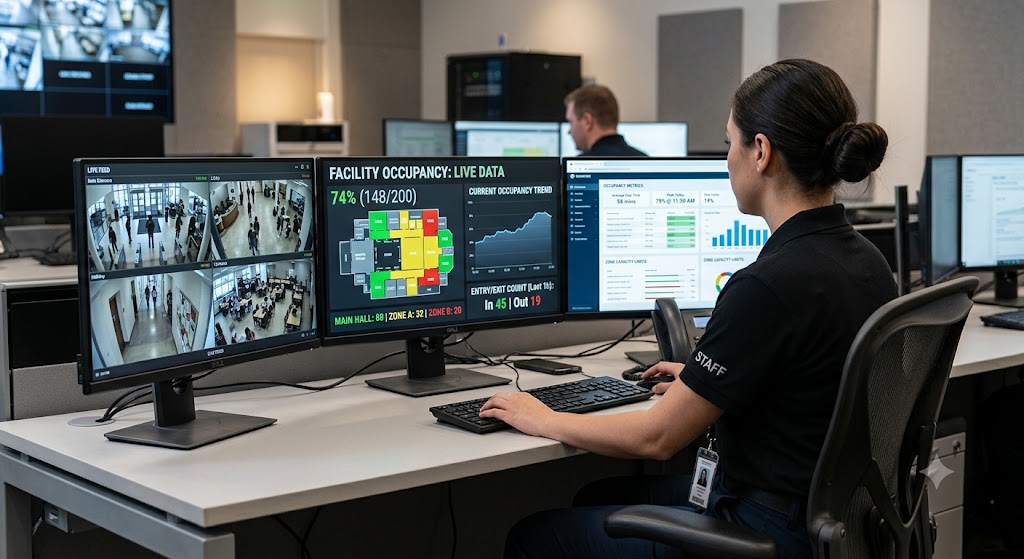
- Live occupancy dashboards
- Membership validation during check-in
- Guest management tools
- Automated reporting
- Mobile-friendly access
- Secure member records
- Multiple entry point support
- Administrative permissions for staff
- Attendance history and trend reporting
- Flexible settings for different facility types
Choosing software that combines these features reduces the need for multiple disconnected systems.
Common Capacity Tracking Mistakes to Avoid
Even good technology cannot compensate for inconsistent processes. Facilities often experience reporting issues because of preventable operational mistakes.
Common problems include:
- Allowing members to enter without checking in
- Using separate systems for different entrances
- Ignoring attendance reports after collecting them
- Failing to train seasonal or temporary employees
- Not reviewing occupancy trends regularly
- Delaying software updates or system maintenance
Addressing these issues keeps occupancy data dependable and useful throughout the year.
Frequently Asked Questions
Can digital check-ins replace manual attendance tracking?
Yes. Digital check-ins automatically record member activity and reduce errors caused by handwritten logs or manual counting. They also provide searchable attendance history and live occupancy updates.
How often should facility managers review capacity reports?
Daily reviews help identify immediate operational issues, while weekly and monthly reviews reveal attendance trends that support staffing, scheduling, and future planning.
Are digital check-in systems useful for smaller facilities?
Yes. Smaller organizations benefit from accurate attendance records, improved member management, and simpler reporting just as much as larger facilities.
Can digital check-ins support different types of membership organizations?
Yes. Modern membership management platforms support pools, gyms, private clubs, nonprofits, churches, HOA amenities, co-working spaces, gaming lounges, event venues, and many other member-based organizations.
Make Capacity Tracking Simpler With the Right Membership Platform
Tracking daily facility capacity becomes much easier when every check-in is recorded automatically and reported in real time. Digital check-ins reduce manual work, improve occupancy accuracy, and provide the attendance insights needed to make informed operational decisions.
Access Granted Systems provides user-friendly membership and access management solutions that help organizations simplify digital check-ins, monitor occupancy, and manage members with confidence. Ready to see it in action? Sign up for a demo and discover how digital check-ins can simplify capacity tracking for your facility.

Related Posts